


Tre ingredienti: il GPS sa dove sei, i sensori sanno dove stai guardando, e un modello reale del terreno decide quali città puoi davvero vedere. Tutto sul telefono, senza internet.
Three ingredients: GPS knows where you are, the sensors know where you're looking, and a real terrain model decides which cities you can actually see. All on your phone, no internet.
Il GPS trova la tua posizione — e anche la tua quota. Funziona ovunque, pure senza segnale telefonico: il GPS non usa internet.
GPS finds your position — and your altitude too. It works anywhere, even with no phone signal: GPS doesn't use the internet.
Bussola e sensori di movimento leggono direzione e inclinazione del telefono, in tempo reale, anche quando lo alzi verso l'orizzonte.
The compass and motion sensors read the phone's direction and tilt in real time, even as you raise it towards the horizon.
Con lo slider decidi fino a che distanza cercare: da pochi chilometri fino a 120 km. Il contatore ti dice quante città sono in vista.
The slider decides how far to look: from a few kilometres up to 120 km. The counter tells you how many cities are in view.
Immagina ogni collina come un muro tra te e una città lontana. CitySpotter porta con sé una mappa reale del rilievo, con un dettaglio di 150 metri, e per ogni città controlla la linea di vista: se un crinale si mette in mezzo, l'etichetta sparisce — perché con i tuoi occhi non la vedresti comunque.
Picture every hill as a wall between you and a faraway city. CitySpotter carries a real elevation map, detailed down to 150 metres, and checks the line of sight to every city: if a ridge stands in the way, the label disappears — because your eyes couldn't see it anyway.
Piano 2D mostra tutte le città nel raggio, comprese quelle nascoste. Terreno 3D accende il controllo del terreno e lascia solo quelle davvero visibili. Le distanze sono calcolate al metro.
2D Plane shows every city in range, hidden ones included. 3D Terrain switches the terrain check on and keeps only the truly visible ones. Distances are computed to the metre.
Prova la demo 2D / 3D →Try the 2D / 3D demo →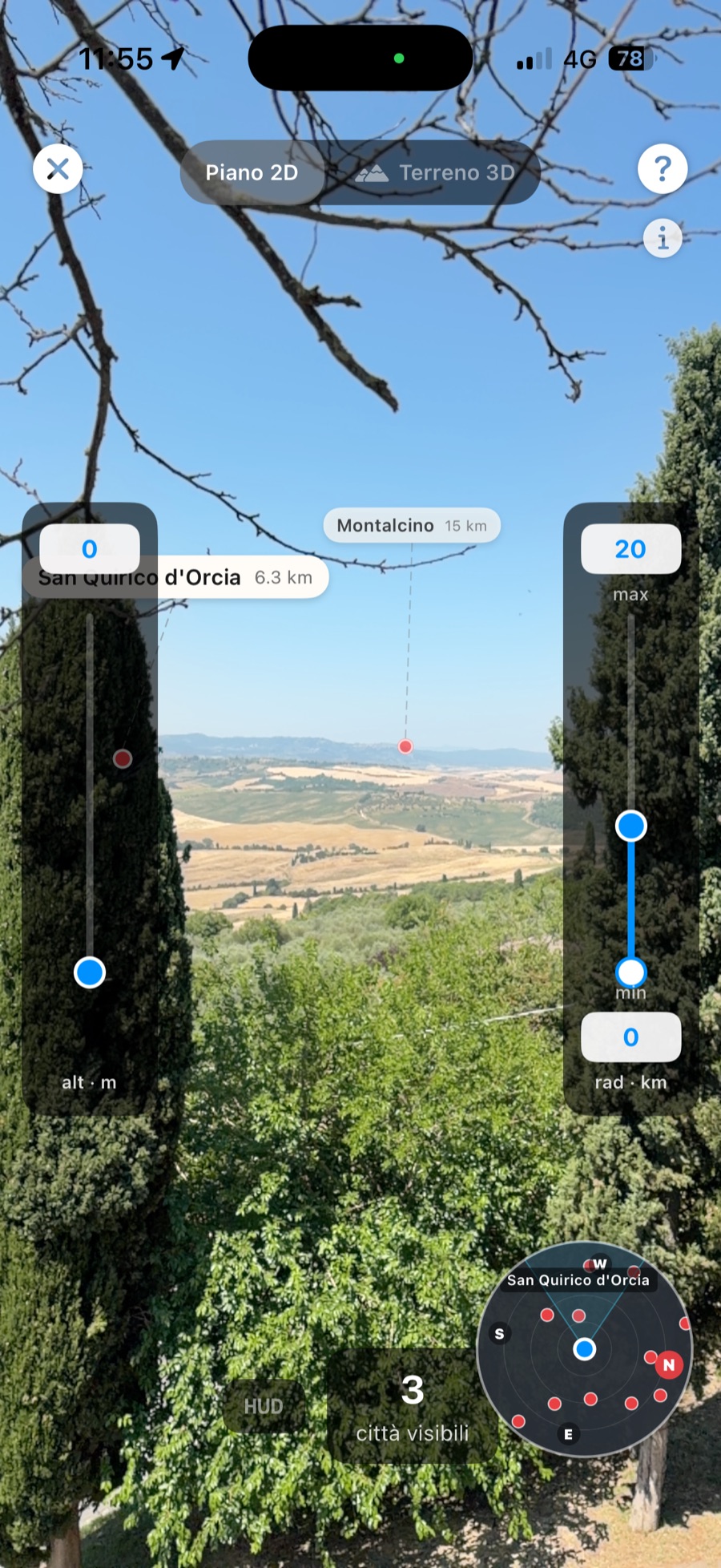
Screenshot reale — Montalcino, panorama collinare. Real screenshot — Montalcino, rolling-hills view.
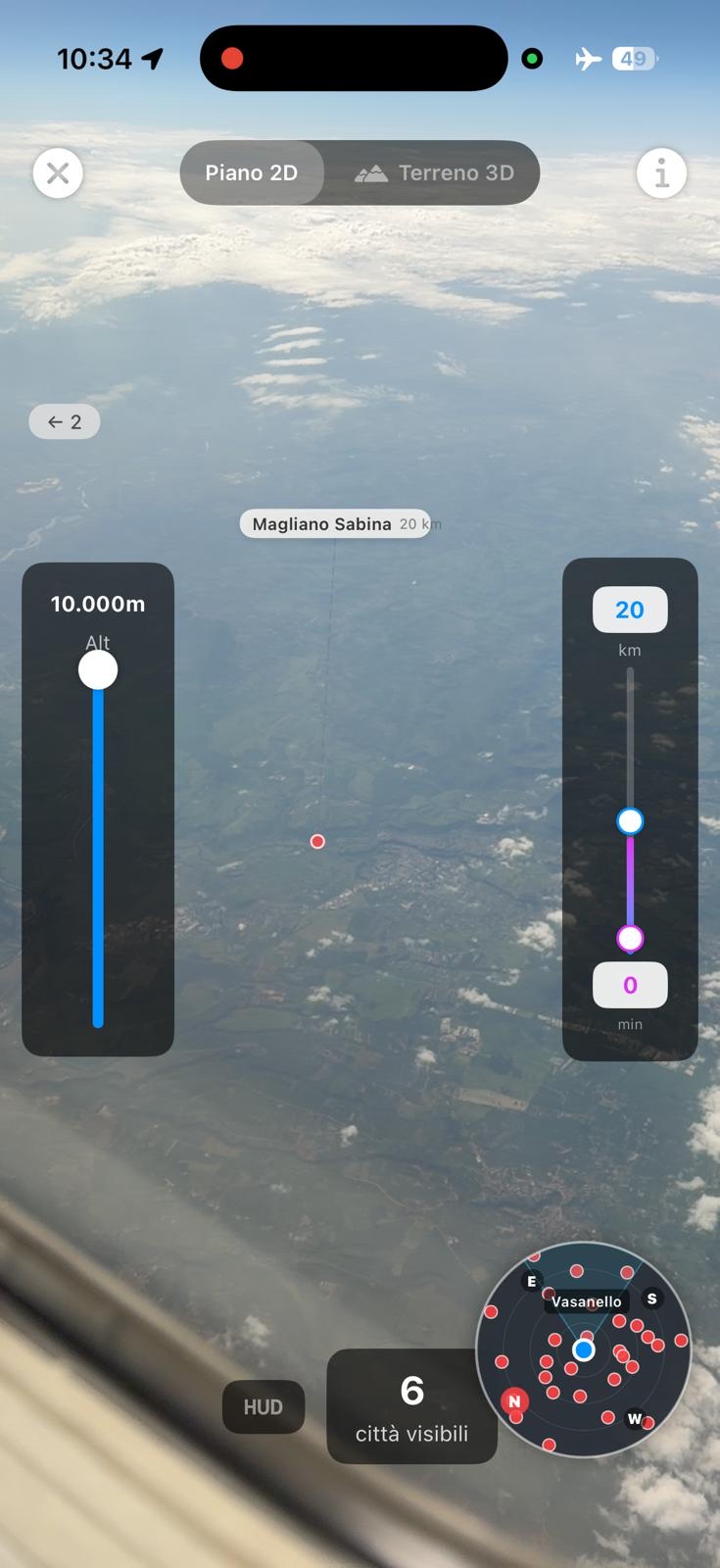
Screenshot reale — dal finestrino a 10.000 m, Magliano Sabina a 20 km. Real screenshot — from the window at 10,000 m, Magliano Sabina 20 km below.
A 11.000 metri, in modalità aereo, CitySpotter etichetta le città che stai sorvolando. L'app riconosce da sola di essere in volo: punti il telefono in avanti, tocchi Allinea e imposti la quota di crociera con lo slider (in cabina il telefono non la percepisce da solo).
At 11,000 metres, in airplane mode, CitySpotter labels the cities you're flying over. The app detects it's in flight on its own — you point the phone ahead, tap Align, and set your cruising altitude on the slider (a phone can't sense it on its own in a cabin).
Guida completa: che città sto sorvolando? →Full guide: what city am I flying over? →I sensori dell'iPhone sono buoni, ma non perfetti: in certi ambienti la bussola può sbagliare di qualche grado. Per questo c'è l'allineamento manuale: trascina il Sole disegnato sullo schermo sopra quello vero — o la Luna, di notte — e l'allineamento diventa esatto.
iPhone sensors are good, not perfect: in some spots the compass can be a few degrees off. That's what manual alignment is for: drag the on-screen Sun onto the real one — or the Moon at night — and the alignment becomes exact.
In volo è ancora più semplice: punta il telefono davanti a te e tocca Allinea quando l'app te lo propone.
In flight it's even simpler: point the phone ahead of you and tap Align when the app offers it.
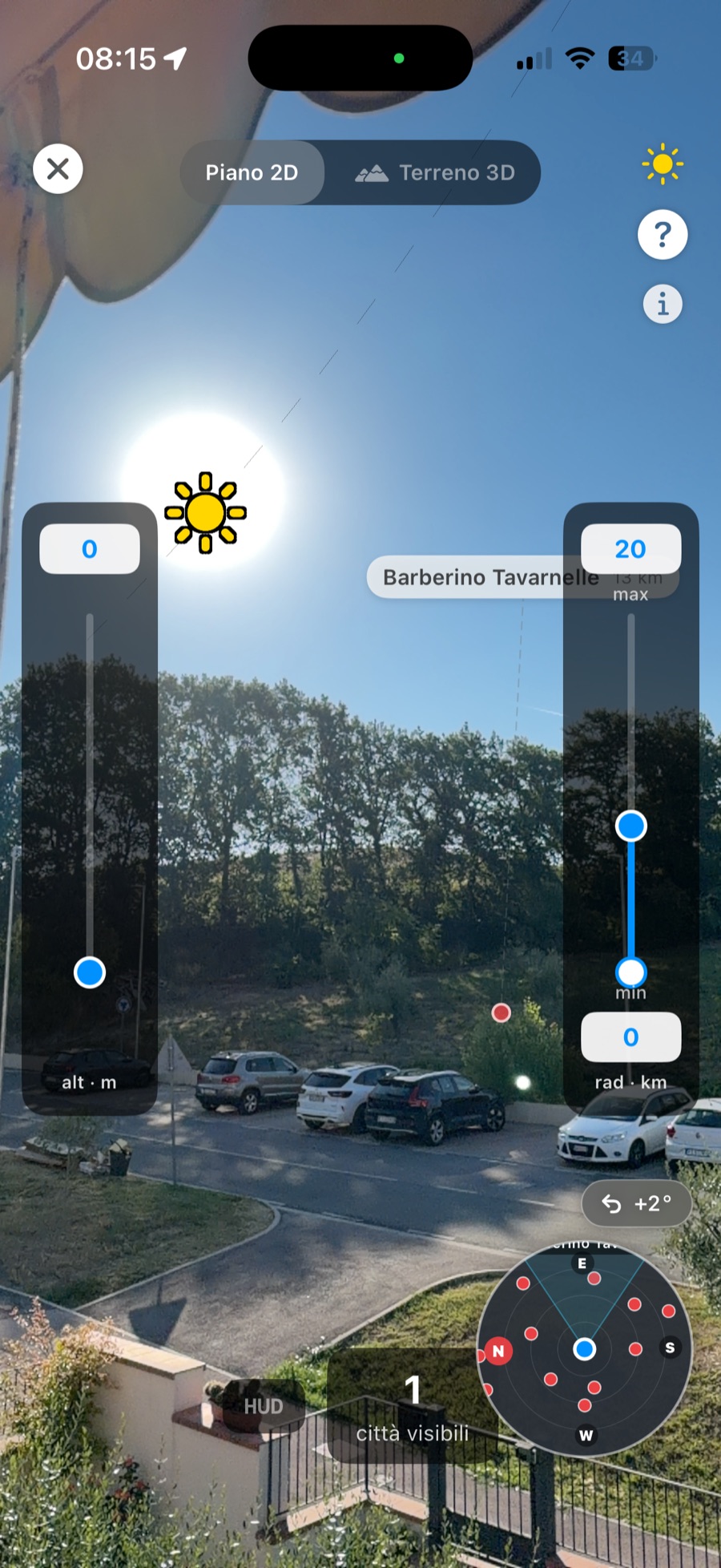
Il Sole sullo schermo, allineato con quello vero. The on-screen Sun, aligned with the real one.
Scarichi un paese una volta — città e terreno inclusi — e da lì in poi non serve più internet: né in montagna, né in volo. Sei paesi disponibili oggi, quasi 29.000 città, tutto gratis. Nessun dato lascia il tuo telefono.
Download a country once — cities and terrain included — and you never need the internet again: not in the mountains, not in the sky. Six countries available today, almost 29,000 cities, all free. No data ever leaves your phone.
Distanze al metro, terreno a 150 m. E se serve, allinei col Sole.
Metre-level distances, 150 m terrain. And the Sun align makes it exact.
Leggi →Read more →No. Dopo il download di un paese, tutto vive sul telefono.
No. After a country downloads, everything lives on your phone.
Leggi →Read more →Modalità aereo, punta in avanti, tocca Allinea. C'è una guida intera.
Airplane mode on, point ahead, tap Align. There's a full guide.
Guida →Guide →Gratis su App Store. Nessun account, nessuna pubblicità.
Free on the App Store. No account, no ads.

